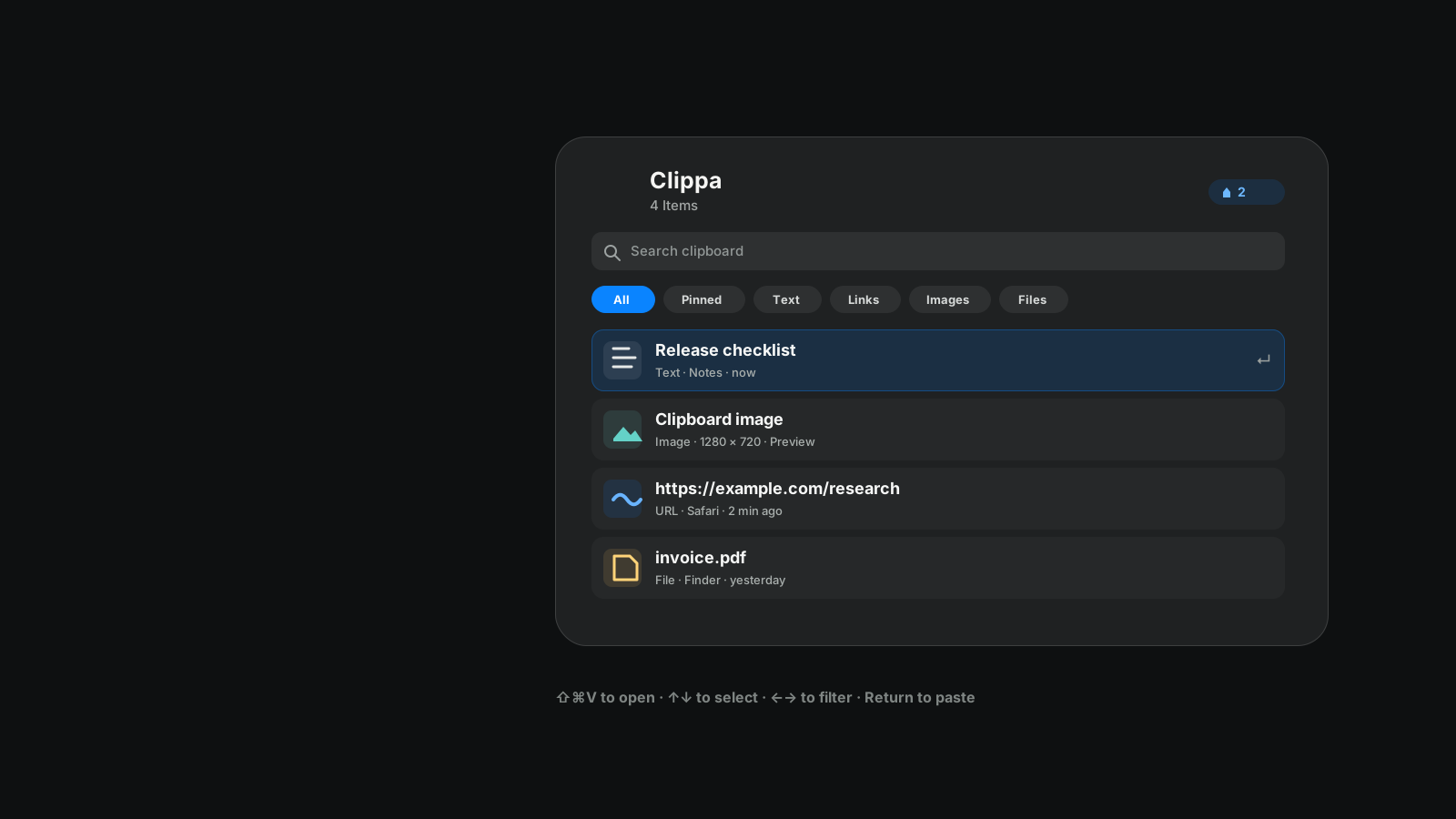
Press Command-Shift-V from any app to open your clipboard history.
Navigate items and filters without leaving the keyboard. The newest copy is always first.
Quick Look images, links, and files before you paste or open them.
No account, analytics, telemetry, or cloud clipboard database.
Fast enough to become muscle memory.
Clippa stays in the menu bar and monitors the system clipboard in the background. Open the Glass panel, search or filter your history, and paste the selected item back into the app you were using. Pinned clips stay in their own filter, and an optional setting adds a space after pasted text or links.
Open Clippa⇧⌘V
Select item↑ / ↓
Switch filter← / →
Pin / Unpin⌘P
PasteReturn
Quick Look⌘Y
CloseEsc
Your clipboard stays yours.
Clipboard history is kept locally and encrypted with AES-GCM. Clippa excludes common password managers by default, and you can add any other application to the privacy list.
No uploadsClipboard contents never leave your Mac through Clippa.
No trackingNo analytics, telemetry, advertising SDKs, or account system.
Controlled historyChoose retention and history limits, or clear stored items at any time.
Install in one command.
Install the latest release from npm, use Homebrew Cask, install the current main build from GitHub, or download the ZIP manually. Clippa requests Accessibility only so it can paste the selected clip into the app you were already using, and points you to that permission if automatic paste is unavailable.
npx --yes clippa
# Homebrew
brew tap Vaniawl/clippa
brew install clippa
# Current main build
npx --yes github:Vaniawl/Clippa#main
# Install somewhere other than /Applications
npx --yes github:Vaniawl/Clippa#main --install-dir ~/Applications